Being in business today is more of a balancing act. You want to expand, but each step you take to grow costs more and more. Earnings increase, software bills accrue, and somewhere in the middle you feel you’re left wondering, “Where did the money go?”
But, the thing is that a lot of it is repetitive manual work that could be done automatically. No, it’s not a six-figure implementation budget and it’s not a huge tech team that can cure it. As AI systems become increasingly sophisticated, the ability to lower OPEX is one of the most actionable and readily attainable cost optimization measures for CTOs and business leaders at all levels.
In this post, we’ll dive into how AI automation reduces operational expenses, where the money is being saved, and how to get started without making things too complicated.
Why Reducing OPEX With AI Is No Longer Just for Big Companies
It seems like a few years ago that AI was just a few buzzwords for the large corporations with their own R&D teams. This is no longer the case. Today’s tools, ranging from workflow automation to AI-driven customer support software, are not only easy to use and have a low learning curve, but they’re also both accessible and quick to implement and are available for teams lacking a dedicated data science team.
You don’t need sophisticated modelling to compute the financial effect of AI either. The first question you ask is in most cases, how much time does your team spend on tasks where the process is fairly predictable? Scheduling, data inputting, answering repetitive customer questions, pulling reports and reviewing resumes. More than a few hours then there is some money on the table.
Research has always demonstrated that companies that adopt even basic AI automation experience improvements in operational efficiency of as much as 20 to 35 percent in the initial year. It’s not by cutting people, it’s by freeing them to do work which does require human judgment.
Automate Back-Office and Administrative Tasks
The first place to begin where the low hanging fruit tends to lie is back office operations.
Consider all the things that transpire behind-the-scenes within your company on a daily basis. Everything from invoices to data entry, reports to approval is on hold waiting for someone to press a button. There is no need for any creativity or expertise involved in none of these. Time takes time and time is money.
Robotic process automation (RPA) platforms powered by AI can process invoices, prepare payroll, categorize expenses, and generate compliance reports with virtually no errors. These can be built with tools such as UiPath, Zapier, and Make (previously Integromat) without coding a single line of code.
The ROI of the AI in the business operation here is simple. If you have 3 employees that spend 2 hours every day on data entry and administrative duties, it’s about 30 hours a week. If you automate just 70% of those tasks, you’re back 21 hours. If you consider the average fully loaded employee cost between $40 and $60 an hour, that translates to $840 to $1,260 of that lost from your budget each week.
Implement 24/7 Customer Support Bots
It costs a lot to have a customer support team in place. It’s not because your support team sucks at their job, it’s because the amount of questions is constant, and many of the questions are the same, repeated many times.
“What’s my order status?” “How do I reset my password?” “Do you ship to Canada?” “Can I get a refund?”
Up to 60-80 percent of these queries can be answered by AI-powered support bots without the involvement of a human. They’re on duty 24 hours a day, and they don’t require breaks or take their time to respond, because they respond in seconds. More importantly, they direct the real complex issues straight to your human agents, that way your crew is spending time on the issues that actually require a person.
It is not only a cost-saving goal; it is a goal achievable. It’s also about factors such as first-response time and customer satisfaction scores, which both tend to improve significantly when customer answers are provided as soon as possible, rather than waiting in a queue of tickets.
Simply automating half the customer service tickets for a medium-sized business with 500 tickets processed weekly can save a lot of manpower. As you’re looking at the monetary implications of AI in this regard, be sure to consider not only the cost of labor, but that of churn that results from slow service response.
Optimize Inventory and Supply Chain
One of those areas is inventory management and it’s where small inefficiencies can add up to a lot of waste. Excessive inventory is a time and money sink. If the stock is too low, you will lose sales and customers will not be pleased. It’s virtually impossible to do this manually at scale.
AI-based demand forecasting systems use past sales information, seasonal patterns, supplier lead times, and even factors such as weather or economic indicators to forecast your needs and when they are expected. This leads to lower stock levels, fewer emergency orders and reduced money sitting on the shelf collecting dust.
Optimization of the supply chain also goes beyond that. AI can alert you to delayed suppliers before they become an issue, recommend alternative suppliers and offer ways to streamline shipments and save on freight expenses. Companies that have adopted AI for supply chain management note that they’ve seen inventory carrying cost savings ranging from 20 to 30 percent and that can be hundreds of thousands of dollars for businesses with substantial inventories.
It’s one of the most evident examples of AI ROI in business operations where the financial impact is easily quantifiable. Reduced over-stock, fewer markdowns, reduced logistics costs.
Use Predictive Maintenance
Whether it’s manufacturing machinery, delivery trucks, HVAC equipment, commercial kitchen equipment, or something else, unplanned downtime is likely one of your bigger hidden costs if your business uses any type of physical equipment.
When a machine unexpectedly breaks down, it’s not just the repair costs involved. It costs you lost production, rates from emergency services, lost customers and the effort to restore things to the status quo. Predictive maintenance involves the application of AI and IoT sensors to keep a real-time track of equipment health and alerting to potential failure points.
You don’t replace the parts according to a schedule (usually too early or too late), but when the data indicates it’s time. Companies that employ predictive maintenance generally record a 25-35% reduction in maintenance costs, and 70-75% reduction in unexpected breakdowns. This can be the sole reason for implementing an AI system for operations that require high uptime.
Optimize HR and Hiring
The recruitment process is slow and costly, and it’s also a time-consuming process that takes your top talent away from their work. While AI cannot replace HR professionals, it can certainly make the job easier.
These AI-driven recruiting tools can filter resumes in mere seconds, rank candidates based on their suitability, automatically schedule interviews and even conduct preliminary video interviews through natural language processing. Recruiter tasks which previously took a week can be condensed to hours.
In addition to hiring, AI tools can be used for onboarding automation, policy Q&A bots to answer employee questions 24 hours a day, and performance data analysis to inform managers of their team’s performance and lead them through better conversations. Using AI to cut down on OPEX doesn’t imply treating employees like data. It involves providing your HR department with time to concentrate on human factors.
When AI screening tools are used effectively, the average time-to-hire can be reduced by 40-60 percent, and the cost-per-hire also becomes significantly lower. These are tangible operational efficiency metrics that impact companies that are still in a growth phase.
Streamline Marketing and Sales
Many marketing and sales departments are bogged down in tasks that don’t convert to sales. Writing repetitive e-mail sequences, scoring leads, compiling campaign result reports, updating CRM data, writing initial versions of content.
All of this can be done by AI tools. Automation tools like HubSpot, Salesforce Einstein, and standalone AI writing and analytics software can create lead scores, customize email messaging at scale, produce campaign reports, and determine which sales opportunities are likely to convert.
The sales effect is very large. When reps aren’t dedicating time to data entry and report writing, they’re dedicating that time to meaningful customer conversation. The more you can prioritize leads, the more likely you are to convert them. More personalized emails leads to more open and reply rates.
On the marketing end, AI-powered content solutions and ad optimization software decrease experimentation expenses and extend the reach of marketing dollars. If your company is spending anything meaningful on paid acquisition, anything that can boost the efficiency of those ads by 10–15 percent is worth thousands of dollars per month of savings.
Best Practices to Ensure Savings
The benefits of AI automation are easy to read about, but hard to see in practice. Many companies spend money on tools and fail to get the return they were hoping for. So, why does it happen and how to avoid it!
- Start with auditing your workflows. Prior to purchasing any equipment, record where your team actually spends their time. Which activities are repetitive? What are some of the processes that transfer data from one location to another? These are some places to begin from.
- Pick one area and prove it out. Do not automate everything at a go. Begin with one process, with a lot of flow and very little complexity, and meticulously quantify the flow of both the initial and the final states. This provides you with internal checks and balances, and prevents the pitfall of scaling up broken processes.
- Involve your team early. One of the major factors for failure of automation initiatives is resistance from employees. If individuals are aware that the purpose of the adoption is to remove cumbersome and repetitive work from their agenda, rather than to eliminate their positions, it can go more smoothly. Present AI as a solution to the tedious tasks that saves them time for more productive work.
- Measure the right things. Consider the direct cost savings as well as indirect benefits such as time saved, error reduction, and improved customer satisfaction when assessing the financial implications of AI. The most significant ROI is from results that aren’t easy to see on a spreadsheet.
- Reassess regularly. AI tools are rapidly changing. The most effective solution for a particular task six months ago could have been outclassed. Quarterly checks keep you on the right track to always being best equipped with the most cost-effective solutions.
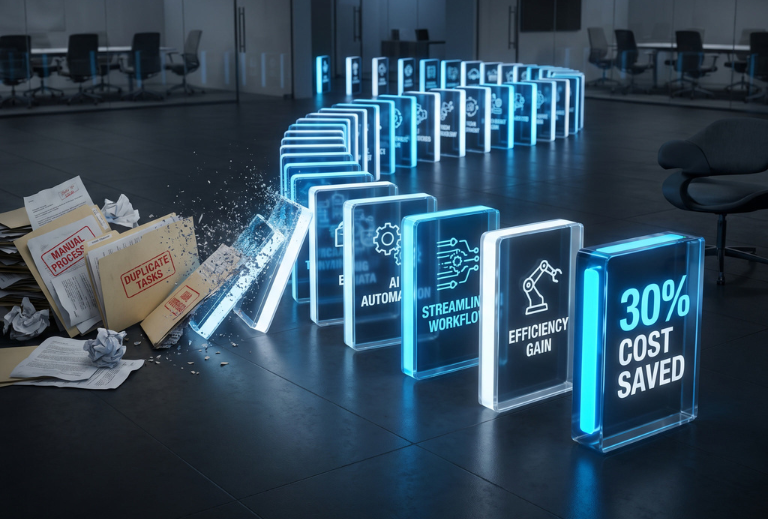
What a 30% Reduction Actually Looks Like
Let’s give it some numbers. A 30% reduction in the annual operating cost of a company with an annual operating cost of $2,000,000 results in $600,000 saved each year.
That might sound lofty, but it is when you visualize it. 20 hours saved per week by back office automation for the whole admin team – about $60,000 to $80,000 per year. Depending on the number of customer support staff, 60% of customer tickets can be reduced by the use of customer support bots, resulting in a $80,000 to $120,000 yearly savings. The benefits of predictive maintenance, including a 30% reduction in downtime and repair costs, are variable but significant. HR automation reducing time-to-hire and recruiter time: $30,000 – $60,000 per year. Reduced carrying cost on the supply chain: 10-20%.
If you sum it up over these areas then 30% is not an unattainable number. It’s a combination of several relatively small changes that have cascaded.
How Can You Get Started?
When it comes to AI automation, the biggest error businesses can make is waiting until they feel like they’re 100% prepared. There is always a reason not to do it: It would be the wrong time, the team is too busy, the tools are still in development. Meanwhile, earlier-starting competitors are adding to their efficiencies.
It’s not necessary to change everything all at once. Identify that one thing your team does over and over in the same way and see if you can find a tool to remedy the situation, try it for a 30-day period and check back in after the time is up. That’s it.